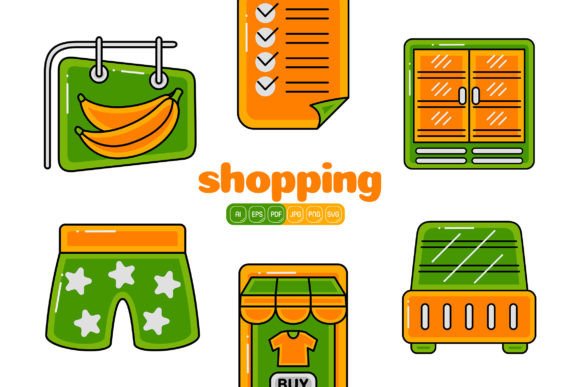
Shopping Vector Pack 04 Compared: A Practical Look at What It Delivers and When It Works
Finding the right visual asset can change the pace of a design task more than most tools in your workflow. Shopping Vector Pack 04 sits in a specific category: a ready-made collection of 100 flat‑design illustrations built around retail, commerce, and everyday shopping moments. The pack includes AI, EPS, PDF, SVG, JPG, and transparent PNG files, each with a 4000 x 4000 pixel canvas at high resolution, fully editable, with every shape open to color changes and recombination. But how you evaluate it depends almost entirely on what you compare it against and what your project demands.
What Exactly Shopping Vector Pack 04 Brings to the Table
At its core, this pack is a library of consistent, modular vector graphics. All 100 illustrations share a uniform flat‑design language: intentionally simple geometry, clean outlines, and a palette you can easily remap. That unity is one of its strongest assets because it means even when you mix and match elements across different scenes—a shopping bag here, a checkout cart there, a mobile payment gesture—the style doesn’t break. For business branding, infographics, social media carousels, promotions, website hero visuals, or app onboarding screens, this consistency often removes the hardest part of building a visual narrative.
The file format spread is unusually thorough. AI and EPS cover the professional print and vector editing world. SVG gets you into almost every modern design tool, from Adobe XD and Sketch to web‑based editors and even direct code integration. PDF serves both preview and production. JPG and transparent PNG give you quick, no‑fuss access for presentations, mockups, or simple banners where a drag‑and‑drop workflow matters. That kind of multi‑format availability means the pack rarely forces a software switch in the middle of a project, which can be a quiet time‑saver.
Versus Custom Illustration Commissions
Custom work is hard to match when you need a truly original voice. A dedicated illustrator can capture subtle interactions, a nuanced style, or abstract concepts that a pre‑built pack can’t. But time and budget tell a different story. A single custom shopping scene often costs more than an entire asset pack, and the revision loop may span days or weeks. Shopping Vector Pack 04 moves at the speed of download. For a small marketing team running a weekend flash sale email campaign, or a freelancer building a client landing page on a four‑day deadline, having a polished, on‑brand shopping visual immediately available often outweighs the uniqueness factor. The trade‑off is clear: you exchange absolute originality for speed and cost control.
Versus Individual Icon and Illustration Marketplaces
Paying per asset can feel economical until you count the pieces you actually need. A banner typically pulls together several visual cues—maybe a storefront, a shopping bag, a wallet, and a percentage badge. Buying each individually from a marketplace quickly adds up, and style mismatches creep in when assets come from different creators. Shopping Vector Pack 04 solves that by bundling a cohesive set where everything was designed to live together. The upfront cost covers 100 pieces, and because you can pull apart, recolor, and recombine shapes, the number of possible output variations far exceeds the original item count. However, if your project only ever needs three or four simple elements and you never reuse them, a pay‑per‑asset route might leave less on the table.
Versus Free and Open‑Source Illustration Libraries
The appeal of free is real, especially during prototyping or for projects with zero budget ceiling. Sites offering free vector illustrations have grown enormously. Yet there are often strings: limited file formats, attribution requirements, or a narrower style range. More importantly, the commercial‑use licenses can be ambiguous or change without notice, which becomes a liability when a design hits a client presentation or a live marketing page. With a purchased, properly licensed pack like shopping illustration sets of this kind, the usage terms tend to be straightforward and business‑ready. The pack also supplies high‑resolution raster alternatives, something many free libraries skip. For anyone balancing long‑term reliability against cost, the peace‑of‑mind argument carries weight.
Versus Photo‑Based and Mixed‑Media Options
Photography brings realism and emotional texture, but it doesn’t always scale cleanly across different screen sizes or match a brand’s stylized direction. Flat‑design vectors like those in Shopping Vector Pack 04 stay crisp at any dimension and take color overrides without degradation. They also suit infographics and diagrams far better than photos do, because they can be diagrammatic and symbolic without cluttering the data story. That said, a travel brand or a luxury fashion house might find photography irreplaceable for aspirational impact. The choice often comes down to whether you’re aiming for representational clarity or atmospheric depth—and flat shopping vectors tend to win the first goal handily.
Edibility and the Power of Recombination
A standout practical strength is how far editability goes. Every shape inside an illustration is accessible: you can recolor, rescale, delete, or duplicate. This isn’t always the case with lower‑cost bundle alternatives that flatten layers or restrict modifications. With the AI and EPS files in this pack, you can pull a hat off a character, swap in a different shopping bag, or change the entire palette to match brand guidelines in minutes. SVG files let you animate individual components later with CSS or JavaScript if the final destination is web.
Recombination multiplies the library. Take a cash register element from one scene, a smartphone from another, and a sale ribbon from a third, and you’ve built a custom promotional graphic never exactly seen elsewhere. That flexibility fits well with how real‑world projects twist and turn: the email banner becomes an Instagram story with a few element swaps, then feeds into a slide deck with yet another iteration, all without tracking down separate assets.
Where Shopping Vector Pack 04 Tends to Fit Best
Several scenarios line up particularly well with what this bundle offers:
- Fast‑turnaround marketing campaigns. Holiday sales, product launches, and limited‑time offers demand visuals almost immediately. Having a unified set of shopping icons and scenes cuts the design sprint down to arranging and recoloring, rather than starting from scratch.
- Start‑ups and small businesses building brand presence. Without an in‑house design team, business owners can create social posts, flyers, and site graphics that look intentionally designed, not cobbled together. The flat style is forgiving and current, which reduces the risk of amateurish output.
- Infographic and presentation creators. Because the pack delivers high‑resolution transparent PNGs alongside vectors, dropping a clear, symbolic illustration into a data‑heavy slide deck or a report doesn’t require extra software. The 4000px canvas means you can zoom in or print at large sizes without pixelation.
- Web and app designers prototyping e‑commerce flows. Onboarding screens, empty cart states, and feature highlights benefit from friendly, recognizable imagery. The pack provides a consistent system that feels less generic than placeholder wireframe boxes and more on‑theme than random stock photos.
In each of those roles, the value of editable vector illustrations centers not on art gallery originality but on dependable, fast, professional‑looking results.
When Another Option Might Serve Better
No single resource covers every request. There are moments when Shopping Vector Pack 04 wouldn’t be the strongest candidate:
- Highly specialized visual styles. If your brand demands a hand‑drawn sketch look, a watercolor finish, or 3D realism, flat‑design vectors—no matter how well‑executed—won’t align. That’s not a flaw, it’s a category boundary.
- Projects requiring animated characters or complex storytelling sequences. While you can animate the vector shapes later, the pack itself doesn’t contain pre‑built character rigs or motion templates. A motion‑heavy project would likely supplement with tools like After Effects or dedicated animation asset kits.
- One‑off usage where learning vector software feels like overkill. A user who only ever opens Canva or PowerPoint and never edits vectors might not tap into the pack’s full potential. The JPG and PNG versions still work, but much of the adaptability stays locked unless someone on the team knows how to open an AI or SVG file and adjust it.
- Ultra‑tight licensing needs that require exclusive ownership. This pack is sold to multiple customers, so the same elements could appear in someone else’s work elsewhere. For a global rebrand where every asset must be proprietary and never repeated, custom illustration remains the route.
Evaluating Technical and Workflow Dimensions
When you unpack Shopping Vector Pack 04, the real question isn’t just “Is it good?” but “Does it fit the way I actually work?”. Consider the following:
Software environment. AI and EPS files assume access to Adobe Illustrator or an equivalent like Affinity Designer or CorelDRAW. SVG, however, works in dozens of tools—Figma, Inkscape, even a text editor. If your team lives in Figma for everything, you’ll likely import the SVG and immediately start tweaking. That lowers the barrier significantly. JPG and PNG serve non‑vector roles well, but they won’t give you recolor flexibility without raster editing, so they’re better for final placement, not deep customization.
Resolution and output needs. 4000 x 4000 pixels at high resolution is plenty for most digital displays and decent‑sized prints. An A4 flyer at 300 DPI sits well within that canvas. Large‑format signage might need a bigger raster file, but the vector originals can be scaled infinitely, so the only reason to rely on the PNG is if you’re not using vector software at all. The pack gives you that choice, and that’s a deliberate strength.
Color and brand identity. Because every shape is independently editable, you can map the illustrations exactly to brand palettes—primary, secondary, and accent colors—creating a bespoke look without redesigning any form. This is often faster than trying to color‑correct a JPEG from a stock photo site, which may introduce halos or unintended hue shifts.
Learning curve. If you’ve never edited a vector before, expect a small ramp. The basics—selecting a group, changing a fill color, deleting an unwanted element—can be learned in an afternoon. The pack’s structure tends to be well‑layered and logically grouped, which makes that process smoother than with poorly organized free files. Even so, it’s worth factoring in a few hours of familiarization before a tight deadline hits.
Comparing Licensing and Long‑Term Use
Many users overlook how the license structure affects the bottom line. With a one‑time purchase of a vector pack like this, you’re not tethered to monthly subscription fees or per‑project royalties. That works especially well for businesses that need a large library of assets over time but don’t want to track usage counts per campaign. Subscription stock services offer a broader range of styles and fresh content, but the meter runs monthly. If your shopping‑related needs are recurrent, owning a comprehensive set of editable illustrations outright can be the more predictable budget choice. Conversely, if you need a very wide mix of styles—food, travel, tech, and shopping all in one month—a subscription or a variety of packs may spread the work better.
Making the Call in Real Terms
Picture a mid‑sized e‑commerce brand preparing for a seasonal sale. The marketing team needs a set of seven email headers, animated social posts for three platforms, and a printable in‑store sign. They have a brand style guide that specifies exact hex colors. A custom illustrator could produce unique, beautiful work, but the timeline and cost would be ambitious. Free vector sites might yield some passable icons, but the style inconsistency and license ambiguity could cause trouble during the final review.
In that situation, a dedicated shopping illustration pack with high‑resolution vectors and transparent PNGs acts as a force multiplier. The team pulls relevant scenes, recolors them to match the brand guide’s red and gold, recombines elements to create new variations for each channel, and exports PNGs for the social media manager who doesn’t use Illustrator. The whole series looks like it belongs to the same campaign. That’s the sweet spot—not because the pack is magic, but because it removes friction at almost every step where a comparative option would add it.
Understanding where Shopping Vector Pack 04 fits is less about praising one product and more about drawing clear lines around what it does, what it doesn’t, and how it measures up against the paths you might otherwise take. By weighing factors like style, editability, format, licensing, and the real‑world rhythm of your projects, you can decide whether a cohesive set of shopping‑themed flat vectors aligns with your next move—or whether you’ll need to look just outside this category to get exactly what the job demands.