California State Hand Drawn Outline Map
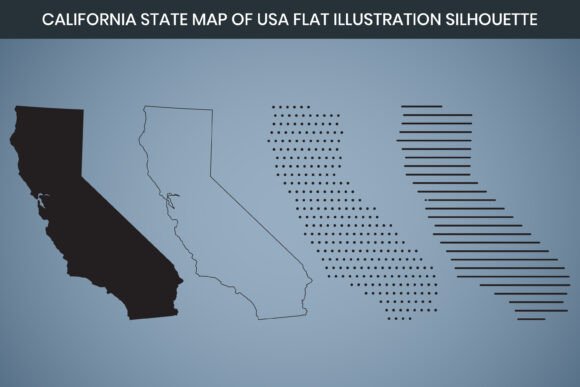
Sometimes a standard, sterile vector outline just doesn’t fit the project you’re building. The California State Hand Drawn Outline Map brings a human touch to geographic design—a deliberately crafted silhouette with organic stroke weight, subtle irregularities, and the warmth you’d expect from a pen-on-paper sketch. Instead of another cookie-cutter digital asset, you get a 3000 x 2000 pixel, 300 DPI file that feels intentional. It arrives in multiple formats (AI, SVG, EPS, DXF, PNG, PDF), fully editable and ready for both screen and print. The underlying structure uses an RGB color mode, so colors pop on displays, and the files are built with laser cut compatibility in mind. That means the paths are closed, clean, and optimized for machines like Glowforge, xTool, or Cricut. Whether you’re a small business owner, a teacher, a DIY enthusiast, or a graphic designer hunting for a distinctive California asset, this map slots into your workflow without a wrestling match.
Laser-Ready Shape for Makers and Small Batch Producers
If you run a craft booth or an Etsy shop, you know the difference between a file that cuts on the first try and one that sends you back to your vector software for an hour of node cleanup. The included DXF format works natively with most laser engraving and cutting software. Because the design is already described as laser cut optimized, the outline avoids awkward crossovers or hairline gaps that burn inefficiently. You can scale the California silhouette to fit a 12-inch wood round for a personalized state sign, or shrink it down for engraved leather keychains. One maker we know used the SVG version in Cricut Design Space to create adhesive vinyl decals for car windows—each cut crisp, with that hand-drawn edge giving a bespoke look that mass-produced state stickers lack. For woodworkers, the 300 DPI raster engrave option (via PNG or imported AI file) allows you to burn the outline onto a live-edge slab, adding a rustic focal point to a bar top or serving board.
Elevating Branding When California Is Part of Your Story
For designers building visual identities, a map is rarely just a map—it’s a symbolic anchor. A coffee roaster that sources beans from co-ops along the Central Coast might want a subtle California outline in their packaging. An outdoor gear startup headquartered in Los Angeles might weave the state shape into hang tags or website hero images. The AI and EPS formats slot instantly into Adobe Illustrator or Affinity Designer, with fully editable paths. You can change stroke weight, fill with a gradient, or combine the outline with typography without requesting a new file. One marketing freelancer mentioned how she used the SVG file inside Figma to prototype a landing page for a California-based nonprofit—the hand-drawn quality softened the otherwise corporate layout, making the organization feel approachable. Because the color space is RGB, the previews on digital mockups look vibrant and true to what end users will see on their devices.
Print Projects That Demand 300 DPI Without Pixelation
Many downloadable maps look fine on a blog post but disintegrate when you send them to a commercial printer for a poster or a brochure. The 3000 x 2000 pixel dimensions and 300 DPI resolution of this California state hand drawn outline map remove that worry. If you’re creating an event backdrop for a tech conference in Silicon Valley, you can blow up the PNG file (with its transparent background) onto a 24-inch-wide banner without noticing jagged edges. Print shops handling large format will appreciate the embedded resolution. A publisher producing a travel guidebook used the editable PDF to place the California silhouette on every chapter opener, keeping the theme consistent across 200+ pages. They tweaked the stroke color to match their Pantone palette directly in Adobe Acrobat, a small yet meaningful win for workflow speed.
Canva-Ready Convenience for Non-Designers
Not everyone has a Creative Cloud subscription, and that’s exactly why the Canva editable aspect matters. After downloading the files, you can upload the PNG or SVG into Canva and treat the California outline like a customizable element. A real estate agent building just listed postcards for neighborhoods stretching from San Diego to Mendocino can drag and drop the map, resize it, add text layers, and export a print-ready PDF—all without touching Illustrator. An event planner mapping wedding venues might overlay tiny hearts or star icons on the hand-drawn shape to create save-the-date cards. Because the strokes already have that imperfect, hand-sketched texture, the final product avoids the flat, lifeless look of a default shape from Canva’s library. The RGB color mode guarantees what you design on screen looks consistent when shared on social media or printed at a local shop for tabletop signage.
Classroom Resources That Spark Curiosity
Teachers and educational content developers often hunt for geography visuals that don’t feel like textbook leftovers. The California State Hand Drawn Outline Map gives them a starting point for worksheets, interactive whiteboard lessons, or digital escape room maps. One eighth-grade history teacher printed the high-resolution PDF on cardstock and had students label missions, gold rush towns, and tribal regions—they said the hand-drawn style made the activity feel like a treasure map rather than a mandatory assignment. Online course creators can drop the PNG into Google Slides or Nearpod presentations, where the transparent background makes layering seamless. The fact that the file is fully editable means you can isolate just the state boundary, delete internal lines if you prefer a pure silhouette, or add color-coded regions for climate zones. It’s a timesaver for curriculum designers who used to spend hours tracing state borders in PowerPoint.
Merchandise That Sells the California Vibe
Print-on-demand platforms like Printful, Redbubble, or Shopify integrations allow creators to test designs quickly. A freelance illustrator might pair the California outline with hand-lettered city names to create a bestseller on throw pillows and tote bags. The PNG file, at its generous pixel count, uploads without resizing warnings and renders sharply on 12x16-inch canvas prints. One small business owner used the SVG to cut heat-transfer vinyl for hoodies—after weeding and pressing, the state outline retained its delicate, sketch-like quality. Because the file is explicitly labeled as laser cut design, the paths are prepared to withstand the rigors of machine cutting, which means SVG imports into Silhouette Studio or Brother ScanNCut software are less likely to misbehave. You spend more time producing and less time troubleshooting path issues.
Infographics and Data Storytelling with a Human Touch
Data analysts and content marketers often default to generic map widgets that look clinical. Swapping in a hand drawn outline immediately shifts the tone from corporate dashboard to narrative-driven infographic. A public health nonprofit used the California silhouette in an annual report to show county-level program reach—they colored individual sections using the editable AI file, then exported the whole graphic for a double-page spread. Because the original map has that subtle pen stutter, viewers perceive the information as more approachable and handcrafted, even when the underlying data is rigorous. The 300 DPI ensured that when the report was printed on uncoated paper, fine strokes didn’t fill in or disappear. When the same infographic was reused in a video presentation, the RGB version maintained color consistency from screen to screen.
Wedding and Event Stationery with a Sense of Place
Couples planning a California wedding—whether in a vineyard in Paso Robles or a beachside setting in Santa Barbara—often want stationery that reflects their location without being overly literal. The editable California map design becomes a flexible motif. Place the outline behind foil-pressed venue details on an invitation suite, or use the PNG file with a watercolor texture layered underneath for a soft, romantic effect on directions cards. One stationery designer used the EPS file in conjunction with a letterpress plate maker; the clean yet artisanal lines transferred beautifully to thick cotton paper, giving an heirloom feel. Because the file set includes both vector and raster options, you can scale the design for anything from tiny envelope liners to oversized welcome poster boards without breaking the aesthetic.
Digital Content Creation That Stands Out on Feeds
Bloggers, YouTubers, and Instagram reel creators fight for visual hooks. Dropping a Flat California Map that looks hand-sketched into a thumbnail immediately differentiates your content from the slew of minimalist canva templates everyone else uses. One travel vlogger layered the transparent PNG over drone footage of the Sierra Nevada, with the state outline softly glowing—a quick but memorable intro bumper. For Pinterest pins, the high resolution means the image remains clear even after the platform’s compression algorithms get involved. Because the map is delivered as a PNG with a transparent background, you can integrate it into any composition without white box syndrome. The fact that it’s Canva editable also means you can animate it slightly within Canva’s video editor, making the outline draw itself on screen as a visual transition.
How Different Professionals Extract Unique Value
Not everyone needs the same thing from a map asset. A small business owner running a California-themed subscription box might use the PDF to create a loyalty card that highlights shipping zones. A freelancer building a client’s About Us page might grab the SVG for a quick asset that loads without bloating the site’s performance. A publisher might request the AI file to adapt the stroke style to house style guidelines. Meanwhile, a hobbyist cutting paper crafts on a ScanNCut gravitates straight to the DXF or PNG. The common thread is that the source material respects their time—it’s fully editable, dimensioned appropriately for real-world output, and doesn’t require a subscription to a particular ecosystem to unlock its potential. The laser cut design origin even means that if someone wants to take the hand-drawn aesthetic into physical goods like stencils or metal art, the groundwork is already done.
Choosing the Right Format for Your Project
Because the package includes AI, SVG, EPS, DXF, PNG, and PDF formats, there’s very little friction when switching between software. The AI and EPS cover vector work in professional design tools; SVG works for web, cutting machines, and apps like Canva; DXF suits CAD-based or industrial cutting workflows; PNG with its 3000x2000 pixel dimension and transparent background serves raster needs across blogging, presentations, and simple printing; PDF is print-ready out of the box. The RGB color mode is intentional for digital-first users who may later convert to CMYK for specific print processes. Having all these options in one download means you won’t have to go back and re-purchase or convert a file months later when a project’s scope expands from digital banners to physical signage.
The California State Hand Drawn Outline Map finds its way into laser-cut wood decor, polished investor pitch decks, classroom binders, and wedding suites because it’s not trying to be a one-size-fits-all solution. It’s a well-prepared set of files that trusts the user to adapt it to their own purpose—whether that’s carving, printing, or simply adding a bit of human texture to an otherwise pixel-perfect layout.